CS2 Helper
by jackblk
Protect your ears by automatically lowering only Counter-Strike 2's volume during loud in-game events. And more!
Windows 11 only · free & open source · other releases
Features
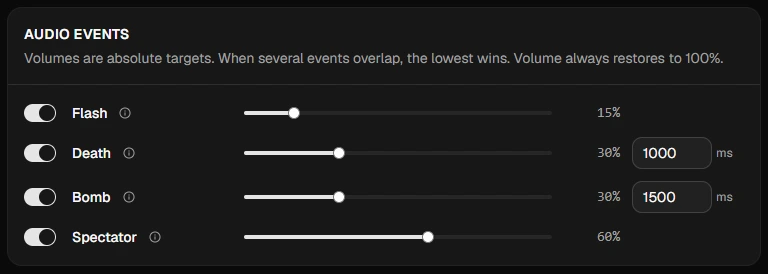
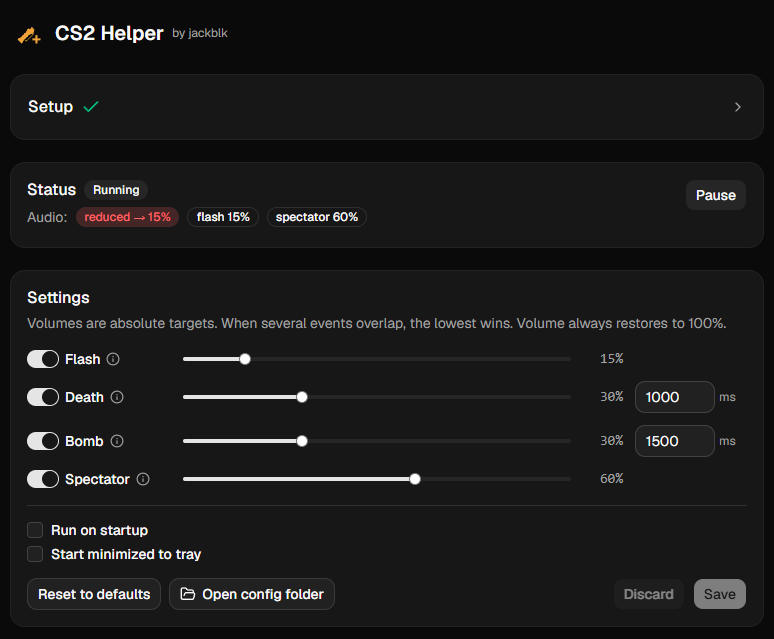
Configurable audio events
Pick the events, the volume for each, and how long it stays down.
Deathmatch mode
Zero (or minimal) sound to focus on aiming. One hotkey to toggle.

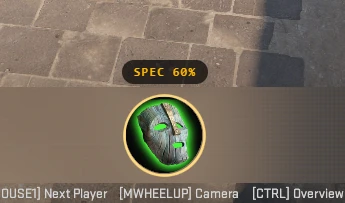
Overlay
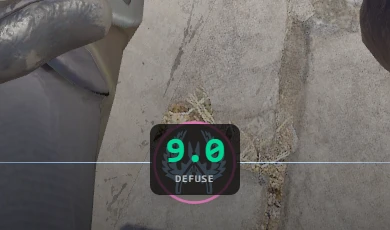
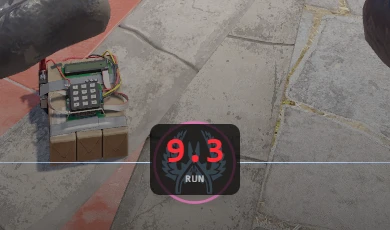
Shows the volume status & bomb timer. Click-through.
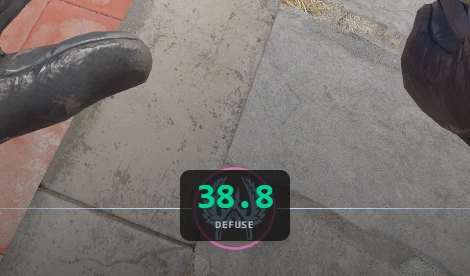
Bomb timer
Defuse or save, based on your kit. Approximate (±1 s): CS2 reports bomb timing slightly off on purpose.
Anti-cheat safe
No interaction with the game. Only official Valve GSI events and OS audio APIs.
Easy to use
One-click setup. Auto reduce & restore volume of only CS2's audio. Other apps unaffected.
Free and open source
Audit or build the app yourself.
See it in action
FAQ
Will this get me banned (VAC / Faceit…)?
No. It uses official Game State Integration (GSI) provided by Valve, which is read-only and designed for third-party apps. It never interacts with the game in any way that would trigger anti-cheat systems.
Is this safe to use?
Yes. The full source is open. You can build it yourself, and a VirusTotal scan is attached to every release.
Does it support Linux or macOS?
Not at the moment, the audio backend is Windows-specific. The app is built with Tauri, so cross-platform support is possible. Contributions are welcome.
Is the bomb timer overlay allowed?
The timer is computed only from the official GSI data CS2 sends to the app; nothing else is read from the game. Check the rules of the platform you play on. If it does not allow overlays like this, turn off the bomb timer (or the whole overlay) with one switch.